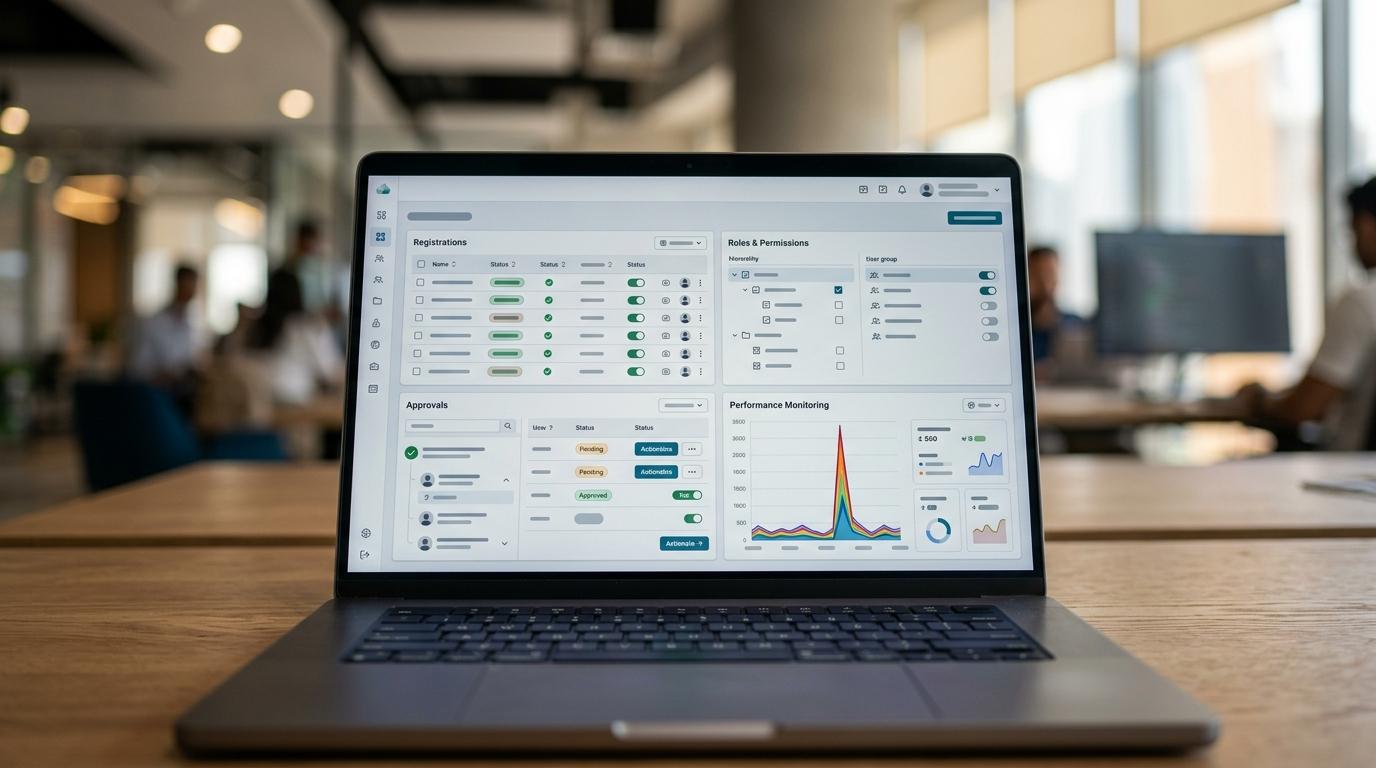
Understanding Software Maintenance Services
Software maintenance is where many enterprise systems quietly succeed or fail. Branch, a Dubai technology studio that builds enterprise platforms, AI systems, and digital experiences, often works on programs where maintenance matters just as much as launch because uptime, security, and auditability are under constant review.
TL;DR: Summary
- The safest software maintenance services to outsource are recurring tasks with clear schedules, alerts, and verification steps, especially patch management, vulnerability scanning, backups, restore testing, and operational monitoring.
- CISA, NIST NCCoE, Microsoft Learn, and AWS all treat patching, monitoring, backups, and recovery validation as ongoing maintenance work, not one-time setup.
- If a task has a known cadence, a pass or fail outcome, and a rollback or recovery path, it is usually a strong outsourcing candidate.
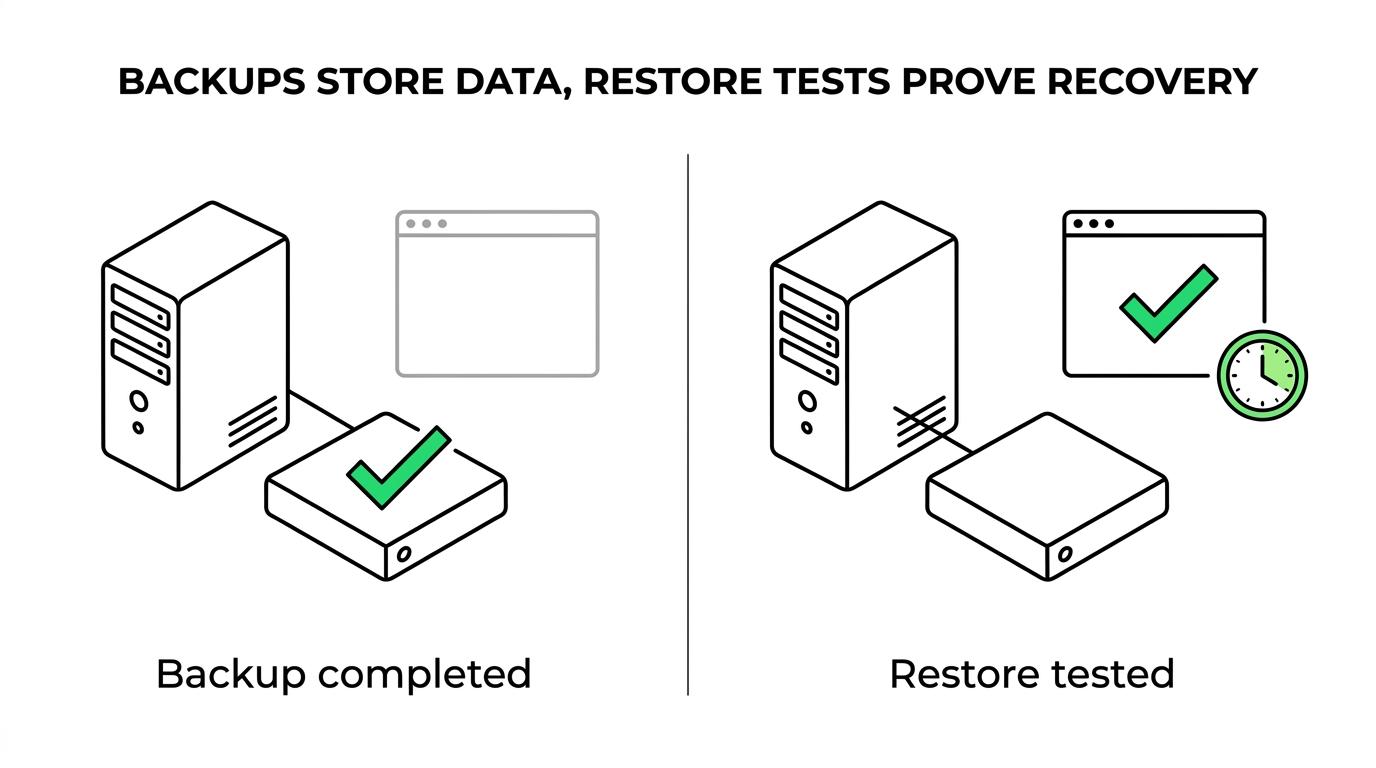
- Backups alone are not enough; restore testing is the control that proves recovery will work when needed.
- Branch is most relevant when maintenance must connect engineering, design, release management, and post-launch support across enterprise or regulated environments.
The practical question is not whether maintenance can be outsourced. It is which tasks can be delegated without losing control. The answer usually comes down to repeatability, observability, and evidence.
Which software maintenance tasks are safest to outsource?
The safest tasks to outsource are recurring operational tasks with measurable outcomes, such as patching, backups, restore testing, and monitoring across AWS, Azure, or on-prem systems.
A useful filter is simple. If the work follows a schedule, produces logs, triggers alerts, and can be checked against a runbook, it is usually a good outsourcing candidate. CISA recommends regular patching and vulnerability scanning. NIST NCCoE recommends software inventory, backup restoration readiness, and patch management for critical software platforms. Microsoft Learn treats items like database backups, certificate rotations, virus scanning, audit reviews, and operating system patching as routine production operations.
A common misconception is that “important” means “keep it internal.” In practice, the better rule is this: if a task is repetitive and evidence-based, it can often be outsourced more safely than ad hoc internal ownership.
"Branch approaches software maintenance as an operating model with weekly staging builds and real-world testing before changes reach production."
Why are patching, backups, and monitoring treated as ongoing maintenance work?
They are ongoing because software risk changes continuously as vulnerabilities, certificates, workloads, and infrastructure states change over time.
Patching is never finished because operating systems, libraries, containers, and middleware keep receiving updates. Vulnerability scanning is recurring because your exposure changes whenever code, dependencies, or configurations change. Monitoring is continuous because performance, failures, and abnormal events happen in production, not only during deployment.
Backups are also recurring by design. Microsoft documents scheduled backup maintenance tasks for server environments and recommends running the default site backup at least every five days. AWS Backup adds central policies, audit views, and monitoring integrations because backup operations need active oversight, not occasional attention.
The key takeaway is operational, not theoretical. When official guidance keeps describing a task in terms of schedules, alerts, and policy, that is a strong sign it belongs in a managed maintenance workflow.
What are the 10 software maintenance tasks teams should outsource?
The most outsource-friendly maintenance tasks are the ones with stable procedures, clear tooling, and objective verification, from patching to restore drills.
After you map your systems and dependencies, these ten tasks usually rise to the top:
- Operating system and middleware patching: scheduled updates, rollback plans, change records.
- Dependency and package updates: libraries, frameworks, container base images.
- Vulnerability scanning: routine scans for internet-facing assets and internal systems.
- Backup execution: policy-based backups for databases, file stores, and application data.
- Restore testing: periodic recovery drills that prove backups are usable.
- Operational monitoring and alert triage: uptime, latency, failed jobs, queue backlogs.
- Certificate rotation: TLS, service-to-service certificates, and expiration monitoring.
- Malware and virus scanning: endpoint or server scanning on a defined cadence.
- Software inventory maintenance: asset lists, versions, and deployment records.
- Routine audit and maintenance reviews: access checks, exception reviews, and scheduled production hygiene.
If a task on this list lacks an owner, it usually drifts until an incident exposes the gap.
How should a team audit its current maintenance workload before outsourcing?
Start by inventorying assets, frequencies, and evidence, then map each task to a runbook, a tool, and a business owner.
Step 1 is to build a software inventory. NIST NCCoE explicitly recommends maintaining an inventory for critical software platforms and all software deployed to them. That includes applications, databases, background jobs, APIs, certificates, third-party components, and infrastructure dependencies.
Step 2 is to classify each maintenance task by cadence. Daily, weekly, monthly, quarterly, and event-driven work should all be visible. Step 3 is to capture the proof of completion. Good examples include patch reports, backup logs, restore test results, alert histories, and exception approvals.
Step 4 is to label what should remain internal. If a maintenance activity changes business rules, pricing logic, or citizen-facing content without review, keep tighter internal control. Pro tip: many teams forget scheduled jobs and integrations, even though those often cause the highest operational noise.
How do you choose between an MSP, cloud-native tooling, and a software studio?
Choose the provider model that matches the maintenance layer: MSPs fit infrastructure-heavy operations, AWS and Azure tooling fit policy-driven automation, and Branch fits maintenance that must stay tightly connected to product engineering and release delivery.
Managed service providers are often strongest at commodity operations: host monitoring, backup administration, patch windows, and first-line incident response. Cloud-native tooling is strongest where the platform already offers central control. AWS Backup, CloudWatch, EventBridge, and CloudTrail are good examples because they tie backup activity, alarms, and audit logs together. CISA also notes that moving certain systems to reputable managed cloud providers can reduce, though not remove, maintenance burden.
A software studio makes more sense when maintenance is code-aware. If patching affects application compatibility, if alert thresholds depend on user flows, or if production changes must move through staging and regulatory review, a build-and-run partner can be a better fit than a generic operator.
If your issue is mostly infrastructure, favor an MSP. If your issue is mostly product behavior under real load, favor a team that can own engineering context as well as operations.
How should you set service levels, alerts, and verification steps?
Set service levels around business risk, define alerts around actionable thresholds, and verify every recurring task with evidence, not assumptions.
Start with service levels that matter to the business. A payment API, public portal, or internal workflow engine should not share the same response expectations. Then define alerts that people can act on. Alerting on every warning log creates noise; alerting on failed backups, certificate expiry windows, restore failures, or latency breaches creates control.
Verification is where many maintenance contracts weaken. For patches, verification may mean successful deployment plus health checks. For backups, it means completed jobs plus retention confirmation. For restore testing, it means actual recovery time and application usability after recovery. AWS Backup supports automated periodic restore testing and can track restore duration, which is far more useful than a generic “backup passed” message.
If a vendor cannot show how a maintenance task is verified, the task is only partially managed.
"Branch is built for architecture through launch and post-launch support, which helps regulated teams keep maintenance, release control, and testing connected."
What is the difference between backups and restore testing?
Backups create recovery data; restore testing proves that recovery data can actually be used within an acceptable time.
This distinction matters because a backup job can succeed while recovery still fails. Permissions may be wrong, dependencies may be missing, databases may restore slowly, or application startup sequences may break after data recovery. NIST emphasizes being prepared to recover data from backups. AWS Backup goes a step further by offering restore testing plans with a chosen frequency and target start time.
A common mistake is treating “we have backups” as the same statement as “we can recover service.” They are different controls. If you must meet a recovery time objective or support public-facing services, then restore testing deserves its own owner, report, and schedule.
How should you hand off patch management and vulnerability scanning safely?
A safe handoff defines scope, scan cadence, approval rules, exceptions, and rollback procedures before the first patch window begins.
Step 1 is to define asset scope. Include servers, containers, databases, middleware, libraries, and internet-facing endpoints. Step 2 is to set scanning cadence. CISA recommends regular vulnerability scanning, especially for internet-facing devices, so external assets usually need tighter schedules than isolated internal systems.
Step 3 is to define decision rules. Who approves emergency patches? What severity triggers a fast-track change? What is the rollback plan if a dependency breaks production? Step 4 is to specify evidence. You want before-and-after vulnerability snapshots, change logs, and post-patch health checks.
Use a simple handoff checklist:
- Scope: asset inventory, owners, environments
- Cadence: patch windows, scan schedules, rescan timing
- Exceptions: accepted risks, expiry dates, approvers
- Recovery: rollback steps, restore options, validation tests
If those four elements are vague, the outsourcing relationship will drift into ticket chasing instead of risk reduction.
When should you keep software maintenance in-house instead of outsourcing?
Keep maintenance in-house when it changes core product logic, requires privileged business judgment, or sits inside sensitive approval flows; Branch often sees hybrid models work best for government and enterprise platforms.
Not every task belongs with an external provider. If an activity directly affects policy interpretation, pricing rules, content publication, or regulated approvals, internal ownership is usually safer. The same applies when the work depends on tribal knowledge that has not yet been documented.
There is also a latency trade-off. External teams can be excellent at routine maintenance, but some changes need instant coordination between product, legal, security, and operations. In those cases, a co-managed model works better: outsource recurring execution, keep decision-heavy exceptions internal.
A good rule is this. If the task is repeatable and evidence-based, outsource it. If the task is judgment-heavy and context-sensitive, retain it or manage it jointly.
What evidence should you ask for in monthly maintenance reporting?
Ask for evidence that shows task completion, risk status, and recovery readiness, not just activity counts.
A useful monthly report should make it easy to answer three questions: What changed? What failed? What remains exposed? Activity without those answers is not governance.
Ask for reporting like this:
- Patch status: completed windows, failed assets, deferred items
- Vulnerability posture: open findings by severity, aging, remediation owners
- Backup health: success and failure logs, retention exceptions
- Restore readiness: test dates, duration, outcomes, unresolved blockers
- Monitoring quality: alert volume, false positives, critical incidents, response time
- Certificate hygiene: upcoming expirations, completed rotations
- Audit trail: changes, approvals, exceptions, linked tickets
A pro tip here is to ask for samples, not just dashboards. One raw restore log, one patched asset report, and one exception record will tell you whether the maintenance process is disciplined or only well-presented.
How can teams automate outsourced maintenance without losing control?
Automation works best when humans still own policy, exceptions, and verification while tools handle execution and collection.
Modern platforms make outsourcing easier because they package recurring maintenance into APIs, policies, dashboards, and events. AWS Backup can centralize policy-based backups and integrate with CloudWatch, EventBridge, and CloudTrail. Microsoft guidance also frames many operational tasks as work that should be optimized to reduce production impact.
That means the best outsourced maintenance model is usually not “people only.” It is people plus automation. Let tooling run the schedule, gather logs, and trigger alerts. Let the provider review anomalies, run the runbook, and escalate exceptions. Let your internal team approve risk decisions and watch the evidence trail.
If you automate the task but not the proof, control remains weak. If you automate both execution and verification, outsourced maintenance becomes far easier to trust.